2026-10-21
Financial Reporting During Accounting System Migration: Guide
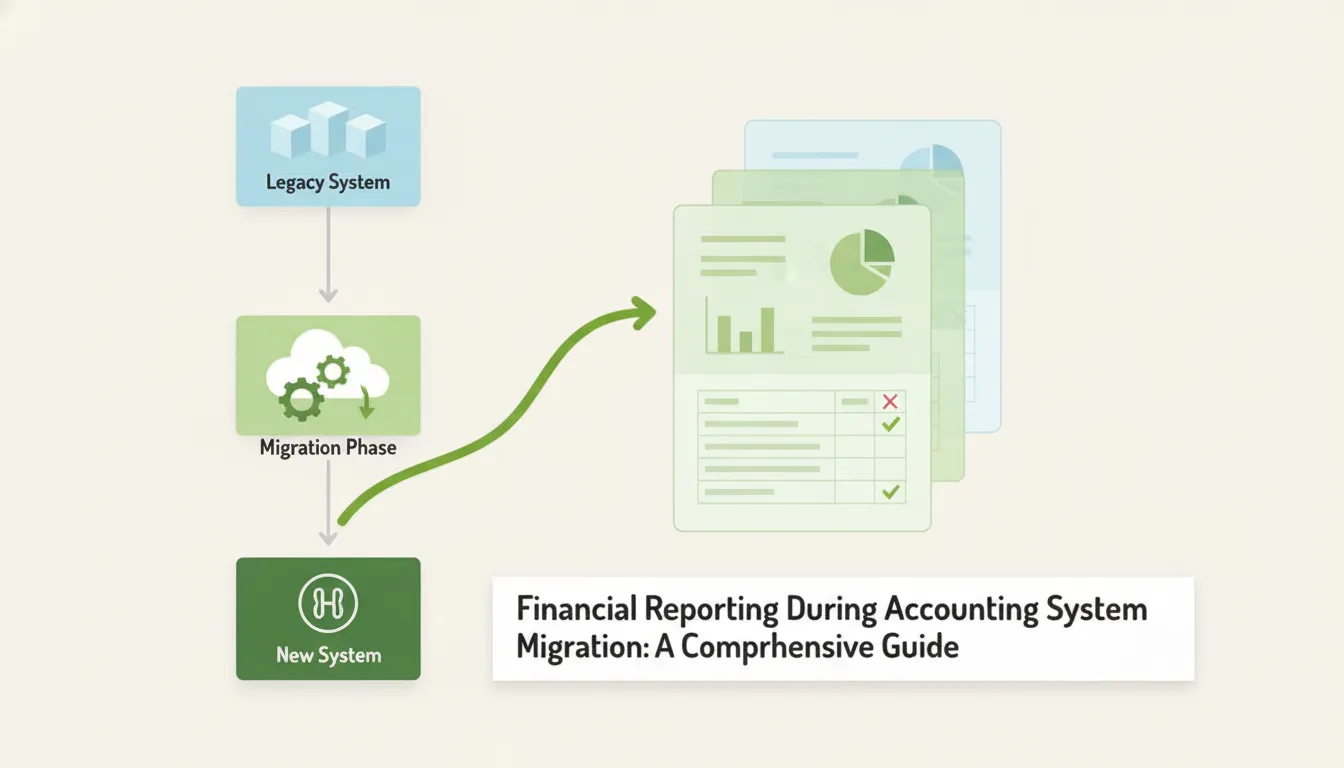
A migration can feel especially complex when different companies, properties, or investments use different accounting platforms. Each system may organize accounts and entities in its own way, yet finance leaders still need a consistent view of balances, performance, cash flow, and aging. That is why financial reporting during accounting system migration deserves its own plan. Before moving data, inventory your systems, integrations, reports, and owners. Then agree on mapping rules, validation checks, and who approves exceptions. You may be replacing an accounting platform, or you may only need a reporting layer to bring existing systems together. Knowing the difference helps keep the project focused and protects everyday accounting workflows.
[Key Takeaways](https://helixreports.com/blog/financial-data-integration-software)
- Set clear migration requirements: Decide which system owns transactions and balances, and document the reports, data, and responsibilities that must carry through.
- Test the data and reports before relying on them: Check account and entity mappings, reconcile balances, compare statements for matching periods, and track each issue through approval and retesting.
- Plan cutover and retirement carefully: Run a parallel close, define go-live and rollback criteria, resolve important differences, and securely retain migration records and historical data.
What Does an Accounting System Migration Mean for Financial Reporting?
An accounting system migration can change more than the software your team uses. It may affect how accounts, entities, transactions, and reporting dimensions appear in financial statements. Before planning the work, define what is changing and what must stay consistent: which system records transactions, how data will map to new structures, and where teams will get their official reports.
This distinction matters when an organization uses several accounting platforms across its companies or investments. A migration may replace one of those platforms, while a reporting layer can consolidate data from systems that remain in place. Either way, set clear requirements for balances, historical data, and reporting before moving data or changing workflows.
Distinguish replacing an accounting platform from adding a reporting layer
Replacing an accounting platform means moving transaction processing, balances, and accounting workflows to a new system. Your migration plan should address open transactions, historical records, integrations, and how the team will complete the next close.
A reporting layer serves a different purpose: it brings data from existing accounting systems together and presents it in a consistent format. This can help finance teams report across entities without changing the platforms used for day-to-day accounting. For example, Helix Reports consolidates and standardizes financial data from multiple sources while keeping existing accounting systems in place. Clarifying which approach you need helps define the project’s scope, the controls to establish, and the reports to validate.
See how chart-of-accounts, entity, and reporting-dimension changes affect reports
A new system may organize accounts differently or use different structures for entities, departments, properties, or investments. Copying the old chart of accounts without review can carry forward inconsistencies or make important reporting needs harder to meet. Map each source account and dimension to a destination, and record how each mapping affects financial statements.
Gravity Software recommends designing a chart of accounts around business needs and the new platform’s capabilities. Test the mappings with real reporting scenarios, such as comparing profit and loss by entity or reviewing receivables across a portfolio. This gives your team a chance to catch classification issues before they affect multiple reports or complicate the first close.
Define which system governs transactions, balances, and reports
During a migration, teams may work across old and new systems. Decide where staff should enter transactions, which system holds the official balances, and which reports finance teams should rely on. Without clear rules, staff may duplicate entries, use conflicting balance figures, or make adjustments that are difficult to trace.
Involve finance staff and report users in the planning process. Platform Transition’s migration guidance emphasizes getting input from the people who will use the system every day. Document who owns data entry, reconciliations, approvals, and reporting, then share those responsibilities before cutover. If you use a reporting layer, also define how it receives data and how the team will check its reports against the source systems.
Identify Migration Risks Before Cutover
A system migration can change how financial data is entered, mapped, or combined across entities. Before cutover, assess where those changes could affect reporting, then assign owners to investigate and resolve issues. This is especially important when finance teams rely on data from several accounting platforms to prepare consolidated statements.
Check for missing, duplicated, delayed, or misclassified transactions
Compare transaction records in the source and destination systems. Look for missing or duplicated entries, transactions posted to the wrong account or entity, and activity that arrives late. Pay close attention to transactions around the cutover date, when teams may enter activity in one system while an integration is still sending data to another.
Use control totals and reconciliations to identify differences across cash, receivables, payables, and journal entries. Record each exception with its account, entity, period, and transaction details, then assign someone to investigate it. The accounting system migration checklist recommends resolving discrepancies promptly, before they affect later reports.
Flag inconsistent account structures, periods, currencies, and entity hierarchies
A new system may organize financial data differently from the old one. Account codes, fiscal periods, currency settings, and entity hierarchies may not align. Even when transaction amounts are correct, inconsistent structures can affect consolidated balance sheets, profit and loss statements, and other reports.
Document how accounts, entities, periods, and currencies should map before migration. Check whether reporting dimensions, such as property, fund, or investment, also need to carry through. Rather than copying the old chart of accounts without review, confirm that the new structure supports the reports finance teams need. Gravity Software’s conversion guidance recommends designing the chart of accounts around business requirements and the capabilities of the new system.
Check integration dependencies, mapping rules, access, and ownership
Inventory each integration that sends or receives financial data, including connections to QuickBooks, AppFolio, Sage, MRI, and Rent Manager. For each one, confirm which system owns the data, how accounts and entities map, and whether transfers happen automatically or require manual steps. A connection can appear active while still sending incomplete or outdated information.
Assign an owner to each integration and mapping rule. Confirm that the right people can review transfers, approve changes, and resolve exceptions. Also plan for detailed tie-outs after cutover, since balances and aging reports may need review during a parallel run. Ramp’s accounting migration guide notes that reconciliation work often continues after a system goes live.
Avoid rushed cutovers, incomplete testing, and undocumented adjustments
A scheduled cutover date does not confirm that the new process is ready. Test data transfers, integrations, user access, and the reports finance teams rely on before switching systems. Include routine workflows and edge cases, such as late-posted transactions, intercompany activity, and period-end adjustments. Compare results with agreed control totals and investigate differences before relying on the new reports.
Document each migration-period adjustment, including its reason, supporting records, approver, and reporting impact. Set clear go-live and rollback criteria, and confirm responsibilities across finance, IT, and leadership. An effective cutover plan lays out the tasks, approvals, and business activities needed to manage the transition.
Prepare Data and Reporting Controls
Before transferring financial data, define what the migration needs to preserve and how you’ll verify it. Account structures, entity relationships, reporting periods, currency rules, and report formats can all affect the numbers teams see after a change. Write down the requirements before moving data, so accounting, finance, IT, and operational teams can spot gaps and agree on how to handle them.
Start with a clear inventory of the systems and information involved. Identify the reports people rely on, who prepares and reviews them, and which source systems provide their data. Then set controls for checking completeness and accuracy, including baseline reports, control totals, approvals, and records of any changes. A practical accounting system migration checklist can help organize this work and reduce the risk of data loss or corruption.
If your goal is to consolidate reporting rather than replace accounting platforms, document that distinction, too. Teams may keep entering transactions in their existing systems while a reporting layer standardizes information for consolidated views. Helix Reports, for example, is designed to connect data from multiple accounting platforms without requiring teams to change their source workflows.
Inventory entities, platforms, integrations, reports, and owners
List each company, investment, partnership, property, and other entity included in the project. For every entity, note the accounting platform and connected tools it uses, such as QuickBooks, AppFolio, Sage, MRI, or Rent Manager. Document what information moves between systems, how often it syncs, and who handles integration issues.
Next, inventory the reports teams need, from balance sheets and profit and loss statements to liquidity, aging, investor, and performance reports. Note each report’s source data, preparer, reviewer, and delivery schedule. Involve the people who use the reports day to day, not only the migration team. Accounting, finance, IT, and operational staff can identify practical requirements and system dependencies early. This kind of cross-functional planning is also recommended in the accounting data migration process.
Clean source data and map accounts, entities, and reporting dimensions
Review source data for duplicates, missing fields, inconsistent names, inactive accounts, and transactions assigned to the wrong entity or period. Correct issues before transfer when possible. Keep a record of anything that cannot be fixed immediately, including its impact and the person responsible for follow-up. This makes it easier to separate pre-existing data problems from errors introduced during migration.
Build a mapping that links each source account and entity to its destination equivalent. Include reporting dimensions such as property, department, investment, or partnership wherever they affect consolidated results. Ask finance owners to review and approve the mappings, especially when platforms use different account structures. Document the reasoning behind significant decisions so reviewers can trace classifications and understand changes in reported results.
Set requirements for opening balances, historical detail, and currency treatment
Decide which balances and periods must be available after the migration. A project may need opening balances and current-period transactions, or several years of transaction-level detail for audits, trend analysis, or investor reporting. Set the scope in advance, including how closed periods and late adjustments will be handled.
For foreign currency data, document the exchange rates, translation dates, and reporting currency to use. Confirm that these choices follow the organization’s accounting and reporting policies. After loading opening balances, compare the new trial balance with the old system’s closing trial balance for the same date. The accounting migration guide from Eleven recommends checking that every line matches. Assign an owner to investigate differences, approve corrections, and retain the reconciliation.
Establish baseline reports, control totals, approvals, and audit trails
Save key reports from each source system before the migration, using clearly defined periods and reporting criteria. Include the trial balance, balance sheet, profit and loss statement, and cash flow statement. Add accounts receivable and payable aging, liquidity, performance, or investor reports if teams depend on them. Record each report’s date, accounting basis, filters, and currency so later comparisons are like for like.
Set control totals for balances and record counts, then name the reviewers responsible for each reconciliation. Keep an audit trail of variances, explanations, corrections, retests, and approvals. Comparing financial statements for the same period can reveal reporting differences that a single balance check may not catch. The Eleven migration guide recommends generating core reports in both systems and comparing them for the same period.
Standardize data across platforms without changing accounting workflows
When entities use different accounting platforms, agree on shared conventions for accounts, entities, and reporting dimensions. Apply consistent mapping rules to data used in consolidated reports, while allowing teams to keep working in the systems that support their day-to-day accounting processes. This approach helps finance compare results across entities without requiring a single platform for every team.
A reporting layer can apply those rules, preserve configuration, and help flag inconsistencies across source systems. Helix Reports uses metadata to standardize financial data and support repeatable reporting across platforms such as QuickBooks, AppFolio, Sage, MRI, and Rent Manager. Its reporting approach is designed to consolidate and cross-check information without replacing source accounting systems. Document mapping rules, owners, and exception procedures so reporting remains consistent as systems and entities change.
Plan the Cutover
A cutover plan turns a system change into a sequence of clear tasks, decisions, and checks. Build it with the people who handle transactions, integrations, reconciliations, and reporting, then share it before the transition begins. If you’re adding a reporting layer instead of replacing accounting software, specify which platforms remain the source of transaction data and how the new reports will be validated.
Choose a cutover date that fits the close and reporting calendar
When possible, schedule the cutover at the start of a fiscal year or quarter. A clear reporting boundary makes it easier to compare periods and reduces the work of reconciling activity split between systems. Avoid dates that overlap with month-end close, investor reporting, audits, or other demanding deadlines. Ask finance and operations teams about dependencies such as billing cycles, data feeds, and scheduled payments before confirming the date.
If timing requires a mid-period cutover, document how the team will handle transactions and reports that span the transition. The Business.com guide to switching accounting systems recommends aligning a move with the beginning of a reporting period where practical.
Set transaction deadlines, backup procedures, and rollback criteria
Set a firm deadline for entering transactions in the old system and a start time for using the new one. Share those dates with everyone who creates, approves, or reconciles financial data. Before making changes, create a full backup and verify that the team can retrieve it. Save baseline reports, including trial balances, and reconcile key accounts in the existing system.
Agree on rollback criteria before cutover. These might include a failed integration, a material balance that cannot be reconciled, or missing data that the team cannot correct within the planned window. Name the person authorized to pause the transition, and document how staff should handle transactions if the team returns to the previous system.
Sequence data transfers, integrations, access changes, communications, and training
List the cutover tasks in the order they need to happen. Include data extraction, mapping, transfer, and validation, along with integration changes and user access updates. Schedule communications and role-specific training before employees begin working in the new environment. Ask staff who manage daily processes to review the plan, since they can identify gaps in approvals, reconciliations, or report delivery.
For a reporting layer, clarify how data will flow from source platforms and how standardized information will appear in reports. Helix’s overview of its reporting process explains how financial data from existing systems can be organized for reporting without replacing those accounting platforms.
Assign owners, checkpoints, and approval responsibilities
Give every task a named owner, a due date, and an approver. For example, an accounting lead might approve opening balances, an integration owner might confirm data feeds, and a reporting lead might sign off on consolidated statements. Set checkpoints before, during, and after go-live so the team can review progress and resolve issues promptly.
Keep a shared log of task status, decisions, exceptions, and approvals. This gives everyone a reliable view of what is complete, what remains open, and who needs to act. Oracle’s cutover planning guidance recommends bringing project, data, application, and business tasks together in one plan.
Test key workflows and reports before go-live
Test the processes finance teams depend on, including transaction entry, approvals, reconciliations, integrations, and report generation. Use representative data, and confirm that users have the access they need to complete each task. Then compare the profit and loss statement, balance sheet, and cash flow statement for the same period and reporting basis in both systems. Check account mappings, entity groupings, totals, and intercompany activity.
Record each difference, assign someone to resolve it, and repeat the test before approving go-live. The Eleven.run accounting migration guide recommends comparing key financial statements between systems before the transition.
Validate Transferred Data
A completed transfer does not guarantee accurate data. Before teams use the new system for close, management reporting, or investor updates, compare its records and reports with trusted source information. Define the scope first: which entities, periods, currencies, and accounting basis are included, and who is responsible for reviewing the results.
Check more than whether the final totals match. Duplicated transactions, incorrect account mappings, missing entities, or inconsistent currency treatment can distort reports even when they appear balanced. Compare control totals and individual records, then investigate differences at the level where they occurred. For multi-entity organizations, review each entity as well as the consolidated results so offsets do not hide errors.
If reporting spans multiple accounting platforms, document which systems remain authoritative for transactions and balances. A metadata-based reporting process can standardize and cross-check information from source platforms without changing their accounting workflows. Keep a record of the checks performed, any exceptions, the corrections made, and the approvals granted. This gives finance teams a clear basis for sign-off and a reliable trail to reference later.
Compare record counts, dates, account codes, currencies, and duplicates
Start with basic completeness checks. Compare the number of transferred records with the source, and confirm the date range covers the intended period. Check account codes and entity identifiers against the approved mapping. Verify that currencies and exchange-rate treatment follow the migration plan.
Look for duplicates as well as missing records. A repeated invoice or journal entry can distort balances even when the total record count appears reasonable. For data from multiple entities or platforms, run checks by source system and entity instead of relying only on a combined total. This makes discrepancies easier to trace and assign.
Document the results and investigate exceptions before moving on. Accounting data migration guidance recommends checking record counts, dates, account codes, currencies, and duplicate entries.
Verify debits and credits, opening balances, cash, receivables, and payables
Confirm that debits equal credits in the transferred data, then compare opening balances with approved source reports. Pay close attention to cash, accounts receivable, and accounts payable. Errors in these balances can affect cash planning, collections, payment runs, and financial statements.
Review balances by entity and account, not only at the consolidated level. A mismatch in one company may be hidden by an offsetting difference in another. Check that subledger totals agree with their general ledger accounts, and confirm that outstanding invoices and bills retain the right status and due dates.
If a balance differs, identify whether the cause is a mapping issue, timing difference, or missing record before making an adjustment. The accounting migration checklist identifies opening balances and core balance sheet accounts as important validation points.
Trace sample transactions from source records to the new system
Select representative transactions across entities, accounts, dates, and transaction types. For each sample, follow the record from its source document or original accounting entry through the transfer and into the new system or reporting layer. Confirm that the amount, date, currency, account, entity, and relevant reporting dimensions are correct.
Include routine transactions and exceptions, such as a voided bill, a credit memo, or an intercompany entry. These examples can show whether transaction statuses and relationships transferred as expected. Record the sample, source evidence, test result, and reviewer so another team member can understand how the check was performed.
Sampling does not replace full control-total checks, but it can reveal mapping or transformation errors that totals alone may miss. A documented accounting system migration checklist can help structure transaction testing.
Compare trial balances and statements for the same period and reporting basis
Run trial balances and key financial statements from both systems for the same period, entity scope, currency treatment, and accounting basis. Comparing reports built on different dates or assumptions can create apparent variances that are hard to explain. Check that filters, account groupings, and consolidation rules also match.
Compare the trial balance first, then review balance sheets, profit and loss statements, and cash flow reports. Investigate differences by account and entity. Separate expected timing or presentation changes from errors in transferred data. If historical data was intentionally summarized, document which details are unavailable for a direct comparison.
For consolidated reports, apply consistent source data and reporting rules across platforms. Migration guidance recommends comparing trial balances and financial statements for the same period and reporting basis.
Log exceptions, corrections, retests, and finance approvals
Maintain a validation log for each exception. Include its potential financial impact, suspected cause, assigned owner, and target resolution date. When someone makes a correction, record what changed, who approved it, and which records or reports may be affected. A clear log helps the team track open work and provides an audit trail.
Retest each correction, then rerun any affected control totals or reports. Do not close an issue simply because a manual adjustment makes one report agree. Confirm that the underlying data and related statements are accurate as well. Escalate material or unresolved differences to the appropriate finance lead before sign-off.
Set approval requirements in advance, including who can accept immaterial variances and who must approve adjustments. A structured data migration testing approach can support consistent exception tracking, retesting, and review.
Run Both Systems in Parallel
A parallel run gives your team a controlled way to test the new accounting system against the records and reports you already rely on. Set clear rules before the trial begins, compare results on a regular schedule, and record decisions as you go. This helps your team spot migration issues while there is still time to investigate them.
Define where teams enter transactions and which reports they trust
Before the parallel run begins, tell each team which system to use for transaction entry and which reports to rely on for decisions. For example, new transactions might be entered in the incoming system while approved financial statements continue to come from the existing platform until the new reports pass validation.
Clarify how to handle invoices, payments, journal entries, and late adjustments. Name a contact for questions, and share the instructions with everyone who handles financial data. Written rules reduce the risk of duplicate or inconsistent entries and help teams know which figures to use for close, cash planning, and stakeholder updates. Ramp’s migration guidance also emphasizes setting clear data-entry and reporting expectations during the transition.
Run both systems through at least one full close or billing cycle
Keep the old system available and unchanged while your team processes regular activity in the new one. Run both systems through at least one full close or billing cycle to test recurring tasks, including transaction posting, account reconciliation, statement preparation, and approvals. Businesses with multiple entities, currencies, or billing schedules may need more than one cycle to capture less frequent activity.
Use real workflows during the trial, not just sample data. Note where tasks slow down, which reports need correction, and whether teams can complete close on time. A full cycle gives your team a better view of how the new system performs under normal operating conditions. Business.com’s guide to switching accounting systems recommends keeping the previous system available while testing the new one.
Compare reports on a set schedule and investigate material variances
Set a regular comparison schedule, such as weekly and at each close. Compare reports for the same period, entity, currency, and accounting basis. Start with trial balances, balance sheets, profit and loss statements, and aged receivables and payables. When totals differ, check the supporting records to find the cause rather than assuming one system is incorrect.
Agree on what counts as a material variance and who reviews it. For each difference, record the source, financial impact, owner, and resolution. Prompt investigation helps protect reporting accuracy and gives reviewers a clear record of the decisions made. Use a consistent checklist to compare migration data, and retain evidence of each review for finance leadership and audit needs.
Prevent duplicate entries and document migration-period adjustments
Two active systems can make duplicate entries more likely, especially when integrations, recurring transactions, or manual uploads are involved. Set controls that show where each transaction belongs, then check for duplicates during reconciliations. If a correction needs to be made in both systems, document why, what was changed, and who approved it.
Keep a migration adjustment log with the date, affected accounts and entities, amount, supporting records, approver, and retest results. Avoid relying on email threads or personal spreadsheets as the only record. A consistent process for reconciling migration discrepancies makes it easier to explain differences later and confirm that corrections appear in the relevant reports.
Track open issues, owners, deadlines, and approvals
Keep one issue log for the parallel run. For each item, record what happened, which entity or report it affects, its financial impact, the person responsible, the due date, and any required approval. Include unresolved mapping questions, missing records, integration errors, and report differences, even if their impact is not yet clear.
Review the log at regular checkpoints with finance, accounting, and the teams responsible for the new system. Escalate issues that could affect close, compliance, or business decisions, and record who approved each resolution. Involving people who work with the system daily helps surface practical problems early. Platform Transition’s migration process recommends gathering input from the teams who will use the system so the plan reflects their day-to-day needs.
Reconcile Consolidated Reports Across Entities and Platforms
A successful migration does more than move records. It must preserve the relationships and reporting rules that turn data from different entities and platforms into useful consolidated reports. Even when every system balances on its own, inconsistent account mappings, entity assignments, reporting periods, or currency treatment can distort the combined view.
Work through the checks below using matching periods, accounting bases, and entity scopes. Start with the structure behind each report, then investigate intercompany balances and compare key statements. When you find a variance, trace it to the source, document the reason and correction, and retest the report. Involving the people who prepare and use reports helps surface practical issues that may not be obvious from a migration plan. This accounting data migration guide recommends including finance and accounting teams in migration planning.
Confirm account, entity, and reporting-dimension mappings
Check how each source account maps to the consolidated chart of accounts. Then confirm that entities, properties, funds, departments, and other reporting dimensions appear in the intended places. Names may differ across platforms, so compare the meaning and use of accounts, not just their labels. A misclassified balance can make a consolidated report misleading even when the original transaction is correct.
Ask accounting and finance users to review mappings against familiar reports and representative transactions. Record approved mappings, exceptions, and the person responsible for each decision. Keep this documentation current as entities or account structures change. Involving daily system users can help ensure the migration plan reflects actual reporting needs, as advised in this accounting migration guidance.
Reconcile intercompany transactions and balances
Review intercompany activity by entity, account, and period. Confirm that both sides of each transaction are recorded, use consistent amounts and currencies, and appear in the right reporting period. Then verify that balances are eliminated according to the organization’s consolidation rules. Look closely for entries recorded by one entity but missing from its counterpart, as well as balances carried forward incorrectly.
Trace each variance to its source entry before making an adjustment. Record the cause, correction, approval, and retest result so the issue does not recur at the next close. Avoid carrying unresolved differences into later reporting cycles. A system migration checklist recommends using reconciliation tools to identify and address inconsistencies.
Compare balance sheets, profit and loss, cash flow, liquidity, and aging reports
Generate the same reports for the same period in both systems. Compare balance sheets, profit and loss statements, cash flow, liquidity, and accounts receivable and payable aging. Check that the reports use the same date range, accounting basis, currency treatment, and entity scope. Different settings can create apparent discrepancies that have little to do with the migration itself.
Review report totals first, then trace material variances to accounts and transactions. Compare opening balances separately from period activity to narrow down when a difference began. For each variance, record the amount, owner, investigation, resolution, and approval. Comparing core financial statements for matching periods is a key validation step in this accounting system migration guide.
Verify investor and performance reports against consistent source data
Investor statements and performance reports may combine information from multiple entities, periods, and investment structures. Confirm that each figure draws from the intended source accounts and approved reporting dimensions. Review the treatment of contributions, distributions, fees, and other inputs, and check that calculation rules remain consistent before and after migration.
Select representative reports and trace figures back to source records. Compare them using the same cutoff date and methodology, and document any approved change in calculation rules. Test data quality before transfer, validate records during migration, and confirm that reports work as expected afterward. This data migration testing strategy outlines these stages. Retain test results so finance teams can explain material differences and support figures shared with stakeholders.
Preserve reporting rules across QuickBooks, AppFolio, Sage, MRI, Rent Manager, and other platforms
A portfolio may use several accounting and property management platforms, each with its own account structure and conventions. Preserve the logic that brings this data together, including account mappings, entity assignments, and rules for grouping or eliminating balances. Check that equivalent data is treated consistently in consolidated reports, even when source systems use different labels or formats.
Test the mappings with reports from each connected platform, including less common cases such as a newly added entity or an account used by only one system. Document how data from each platform translates into the consolidated view, and revisit the documentation when configurations change. Helix Reports is designed to consolidate and standardize data across accounting systems, supporting consistent reporting across a varied software environment.
Use standardized, metadata-based reporting to cross-check data without replacing source accounting systems
A reporting layer can help teams compare financial data across platforms while keeping transaction entry in the existing accounting systems. Standardized reporting gives data a consistent structure, while metadata-based rules retain the mappings and configuration details used to create each report. This lets finance teams review a portfolio through a common reporting framework without requiring every entity to use the same platform.
Use the reporting layer to check account assignments, entity totals, and intercompany balances, then trace exceptions back to source records. Document and approve changes to mappings or reporting rules before they affect consolidated statements. Helix’s reporting process standardizes and validates data from existing platforms, helping teams produce repeatable reports without changing their source accounting workflows.
Retire the Old System Safely
Retiring an accounting system takes more than switching off access. First, confirm that migrated data and reports are reliable, document decisions and corrections, and make a plan for retrieving historical records. These steps help finance teams answer questions after cutover and maintain a clear audit trail.
Resolve material variances and complete required reconciliations
Before decommissioning the old system, investigate material differences between its records and the new system. Reconcile key balances and reports, including cash, receivables, payables, intercompany accounts, and opening balances. Trace each variance to its source, such as a timing difference, mapping rule, missing transaction, or migration adjustment. Record the cause and correction, then rerun affected reports to confirm the issue is resolved. The accounting migration checklist from Manifestly recommends addressing discrepancies promptly, rather than carrying them into future reporting periods. Keep reconciliation evidence with your migration records so reviewers can see what changed, why it changed, and who verified the result.
Get finance, leadership, and stakeholder approval
Involve the people who rely on the system and its reports before making the final retirement decision. Finance and accounting teams should confirm that balances reconcile and recurring reporting tasks work as expected. IT can verify access, integrations, backups, and security requirements. Leadership and other stakeholders can confirm that the reports meet their needs. The accounting data migration process outlined by Platform Transition highlights the value of input from the teams that will use the system day to day. Set approval criteria in advance, such as completed reconciliations, accepted reports, and resolved high-priority issues. Document each sign-off and any accepted exceptions to create a shared record of the decision.
Archive source data, reports, mappings, and migration records
Prepare an organized archive before removing or limiting access to the old system. Include source-data exports, historical reports, account and entity mappings, migration adjustments, reconciliation evidence, issue logs, and final approvals. Label files with reporting periods, version dates, and relevant entities so staff can find the right records later. Document problems and their resolutions, too. This context can help explain reporting differences and support future system changes. Ramp’s accounting data migration guidance recommends recording issues and resolutions as part of the migration process. Store the archive securely, limit access to appropriate users, and test that files open correctly before retiring the source environment.
Keep appropriate read-only access for audits and record-retention requirements
Teams may need to review historical transactions after the new system is live. Where practical, retain read-only access to the old platform. If that is not an option, make sure you have a complete, searchable export or backup. Ask finance, tax, legal, or compliance advisers how long records must be kept, since requirements vary by jurisdiction and record type. Business.com’s guidance on switching accounting systems recommends preserving the old system, an export, or a backup for future reference. Test access before cutover, identify who can retrieve archived records, and document the retrieval process. If you use a reporting layer to consolidate information across platforms, Helix Reports explains how it works without requiring changes to source accounting systems.
Related Articles
- How to Choose Financial Data Integration Software | Helix Reports
- Investment Reporting Software for Multiple Platforms: Best Options Compared | Helix Reports
- How to Standardize Financial Reporting: 10 Steps | Helix Reports
- 7 Best Centralized Reporting Tools for Finance Teams | Helix Reports
- Financial Close Software Compared: Which Fits Best? | Helix Reports
Frequently Asked Questions
Does an accounting system migration always require replacing every platform?\ No. You can move transaction processing to a new system, or add a reporting layer that consolidates information from the platforms you already use. The right choice depends on whether you need to change daily accounting workflows or create consistent reports across entities.
[How can finance teams check that migrated data is accurate?](https://helixreports.com/blog/accounting-systems-basics)\ Compare records and reports using the same periods, entities, currencies, and accounting basis. Review record counts, opening balances, control totals, and key statements, then trace significant differences to their source. Keep a log of corrections, retests, and approvals.
How much historical data should we transfer?\ Set the required period and level of detail before the project begins. Some teams need opening balances and current activity, while others need transaction-level history for audits, trend analysis, or investor reporting. Confirm that your chosen approach meets reporting and record-retention needs.
Should we run both systems at the same time?\ A parallel run can help test everyday workflows and compare reports before retiring the old system. Define where staff enter transactions, which reports are authoritative, how often comparisons happen, and who resolves differences. The trial should cover at least one full close or billing cycle.
When is it safe to retire the old system?\ Wait until required reconciliations are complete, material differences are resolved or formally accepted, and finance and leadership approve the results. Archive source data, reports, mappings, adjustments, and validation records, and confirm that authorized staff can retrieve historical information.